
How to disable Instagram Reels
There is no Disable Reels setting in Instagram, so the closest you can get inside the app is to strip Reels out of your feed with four settings: the Following feed, Not interested, snoozing suggested posts and turning off Reels notifications. To disable Reels completely while keeping your messages, use Unscroll on iPhone, which opens Instagram without the Reels tab, Explore or the feed.
Remove most Reels from your Instagram feed
- Tap the Instagram logo at the top of the home screen and choose Following.
- On any suggested Reel, tap the three dots and choose Not interested.
- On a suggested post, tap the X and choose Snooze all suggested posts in feed for 30 days.
- In Settings, Notifications, Live and Reels, turn off Reels notifications.
How to remove Reels from your Instagram feed
Most Reels in your home feed are suggestions from accounts you don't follow. The Following feed shows only accounts you follow, in time order, which cuts out the bulk of them. The catch is that Instagram switches back to the For you feed each time you reopen the app, so you have to choose Following again.
Snoozing suggested posts helps between those switches. It lasts 30 days, then suggestions come back and you snooze again. Not interested teaches the feed to show fewer videos like the one you marked, though it never stops them.
How to disable Reels notifications
Go to your profile, tap the menu, then Notifications, then Live and Reels. Turn off notifications for Reels, new Reels from accounts and Reels you might like. This stops Instagram nudging you back in with a video. It doesn't hide any Reels already in the app.
Why you can't disable the Reels tab
The Reels tab is part of Instagram's fixed bottom bar, and there is no setting to hide or move it. Reels you open from a friend's DM also lead into the endless Reels feed when you swipe up. Inside the official app, the steps above are as far as you can go.
Disable Reels completely with Unscroll
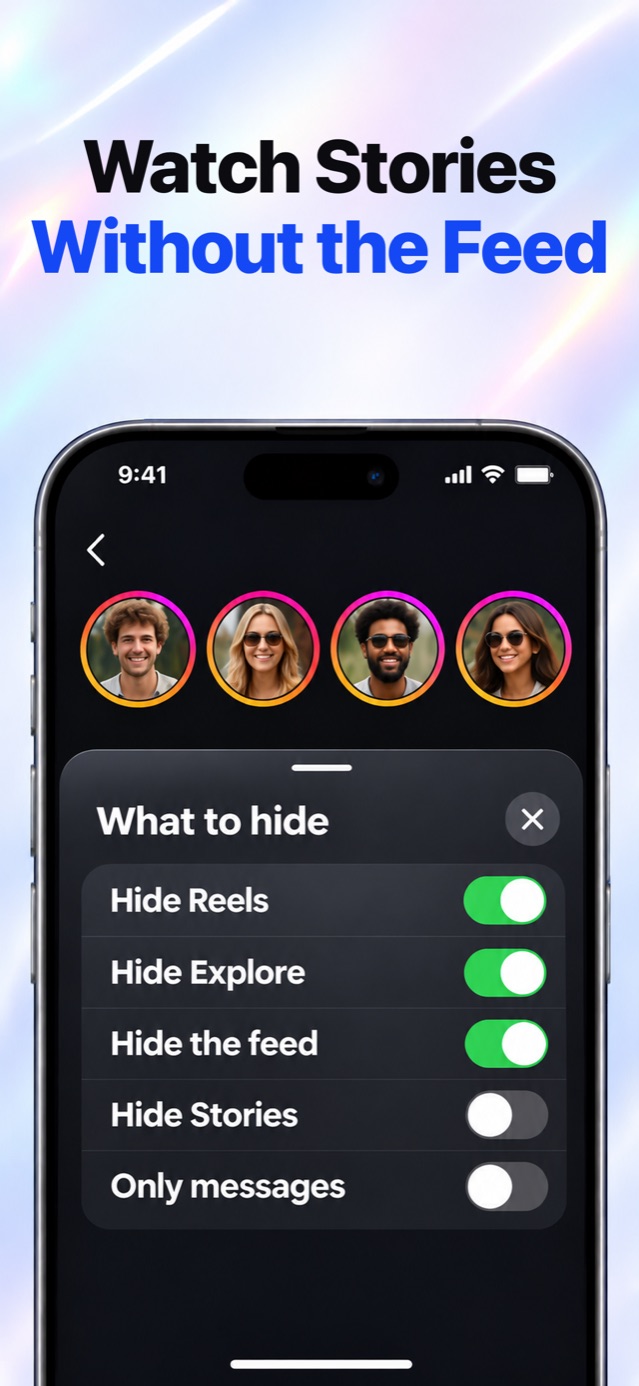
Unscroll takes the other route: it gives you Instagram without the parts built around Reels. You sign in on instagram.com inside the app and land on your inbox. Reels, Explore and the home feed are switched off in the What to hide panel, and stories from people you follow stay unless you hide them too.
Nothing changes on your account. Your friends see your messages as normal, and if you open the Instagram app later, every chat is there. To stop yourself drifting back to Reels in the Instagram app, Unscroll can lock it with Apple's Screen Time and give you short unlocks when you need it.
Which option should you pick?
If Reels only bother you now and then, the four settings above are free and take two minutes. If you open Instagram to answer a message and lose half an hour to videos most days, settings won't hold. That's the case Unscroll is built for.
Common questions
Does switching to the Following feed remove all Reels?
No. Reels posted by accounts you follow still show in the Following feed, and the Reels tab stays in the bottom bar.
How long does snoozing suggested posts last?
30 days. After that Instagram starts suggesting posts again, and you can snooze them for another 30 days.